✦ Resume templates · ATS-friendly options

Resume Templates
Recruiters Actually Read

Pick a clean, recruiter-friendly layout, fill it with AI-assisted content in a live editor, and download a polished PDF. Single-column and two-column designs, all free to build.

Switch templates in one click

Showing all templates

Clean & ATS-safeDay Pass +★ Popular
Modern ATS resume template preview

Modern ATS

ATS-safe

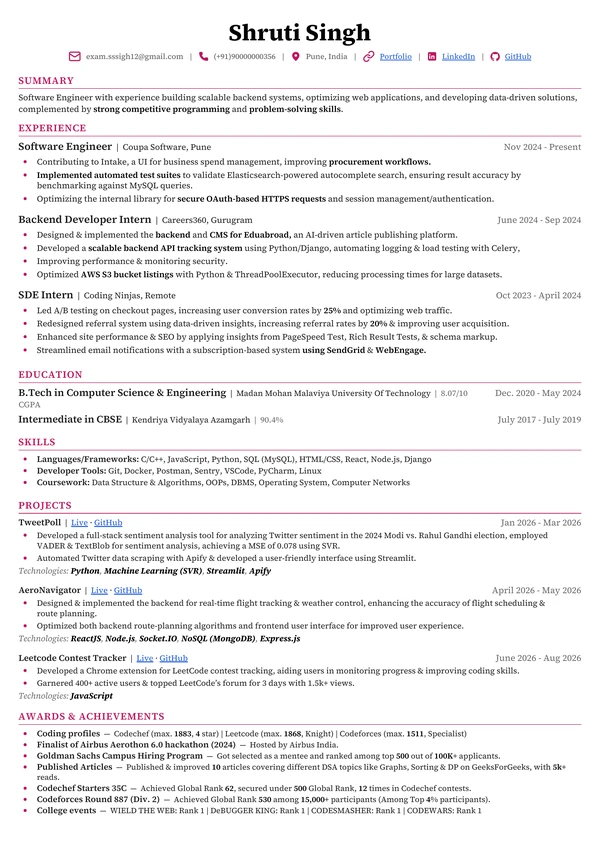
A single-column, plainly-labeled layout built to parse cleanly across Workday, Greenhouse, Lever, iCIMS, and Taleo. The safest default for most roles. Download with a Day Pass, Lite or Pro.

  • Single column
  • Plain headings
  • ATS-safe
FAANG · One pagePro PDF
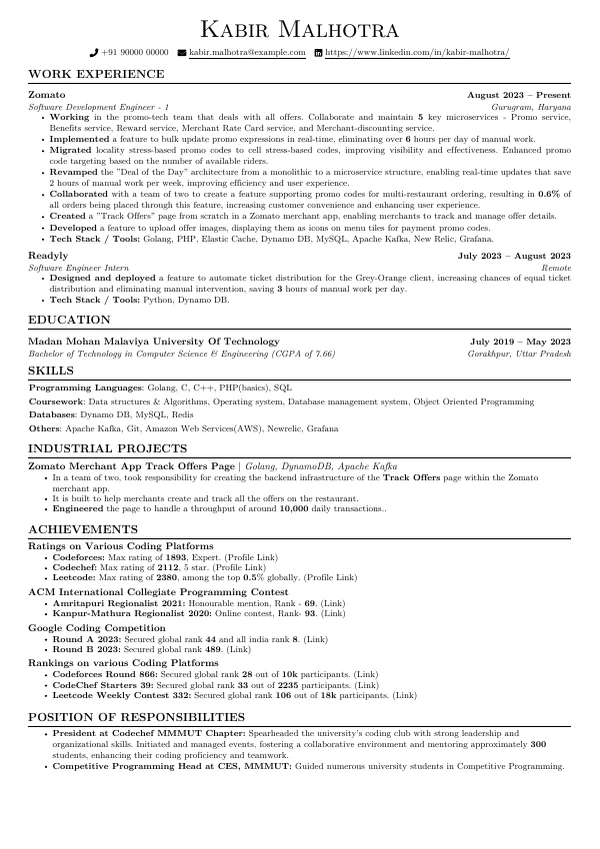
FAANG · Google resume template preview

FAANG · Google

The classic one-page LaTeX resume in Computer Modern, rebuilt exactly: small-capitals name, icon contact line, bold-lead bullets, achievement groups and positions. Built for top-tech applications. US Letter. Pro.

  • One page
  • US Letter
  • LaTeX style
Classic · Day Pass+Day Pass +
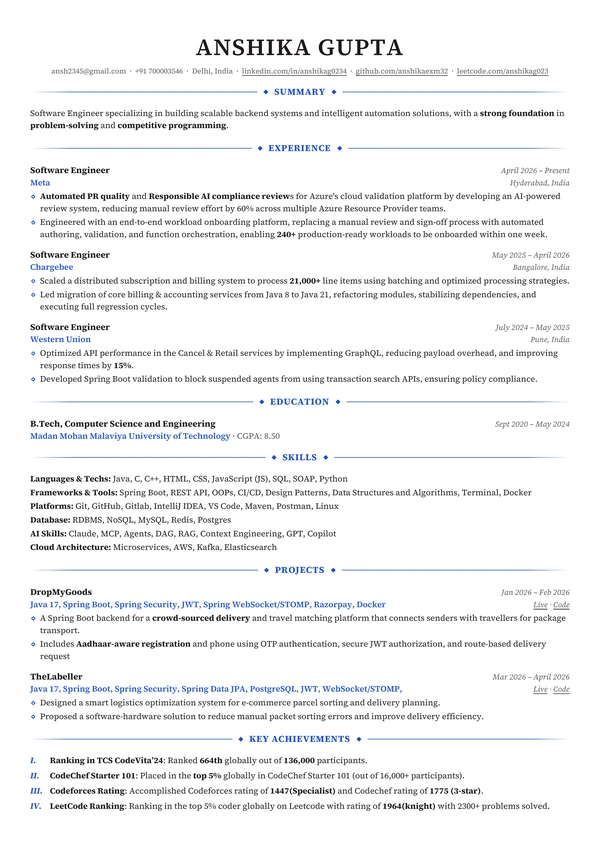
Classic Serif resume template preview

Classic Serif

ATS-safe

A centred, single-column serif resume: your name in capitals, headings between fine lines and small diamonds, numbered key achievements. Timeless, easy to read and fully ATS-safe. A4. Download with a Day Pass, Lite or Pro.

  • Single column
  • Serif
  • ATS-safe
Two columns · ProPro PDF
Modern Split resume template preview

Modern Split

ATS-safe

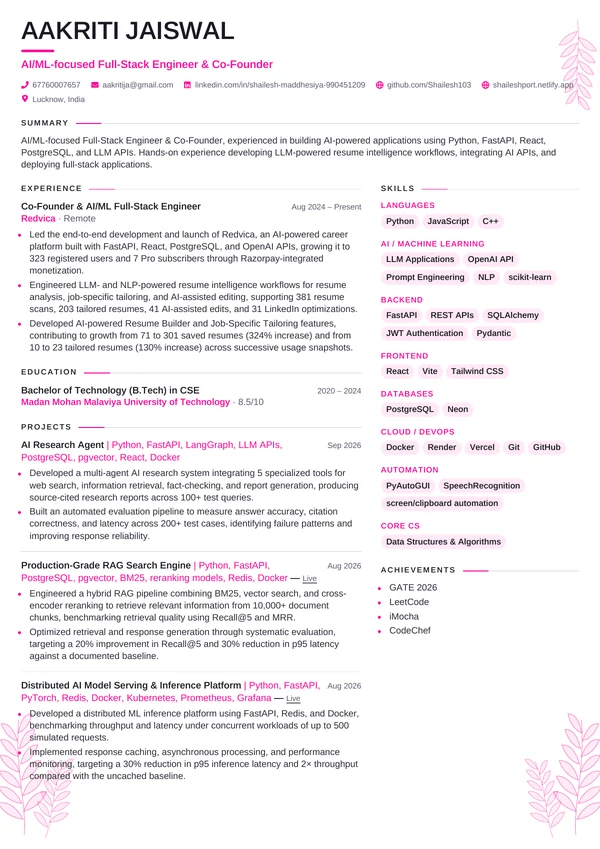
A full-width header and summary, then a wide column for your experience and a narrow one for skills as soft pills. Light, modern and easy to scan. A4. Pro download.

  • Two column
  • A4
  • Skill pills
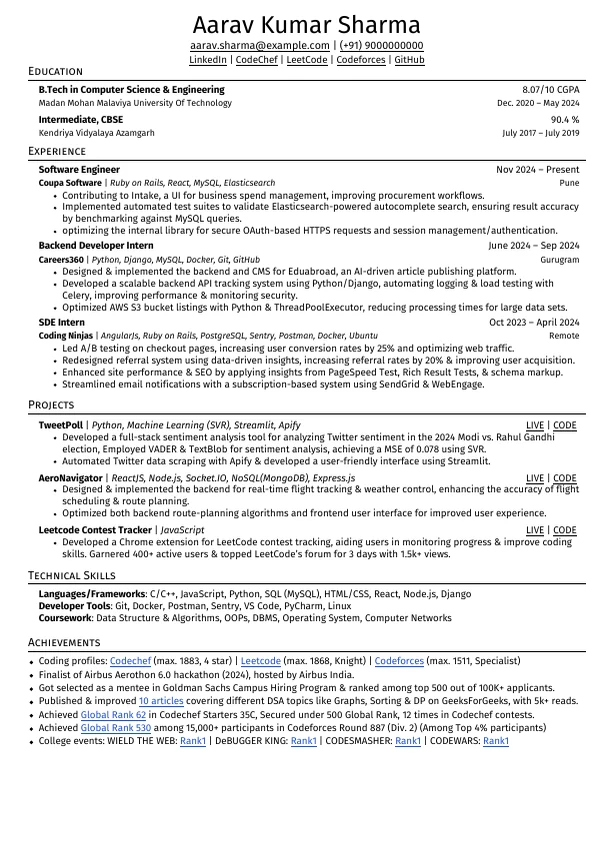
FAANG · One pagePro PDF
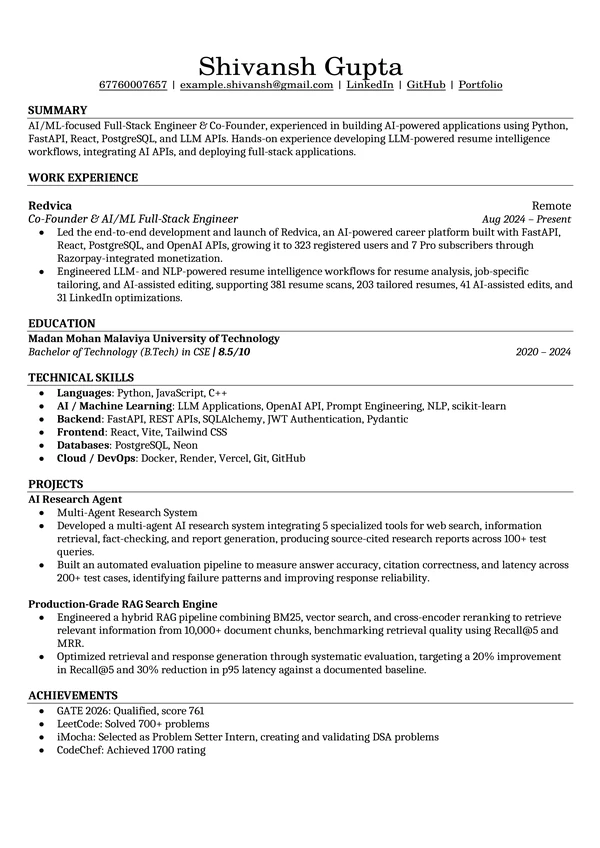
FAANG · Meta resume template preview

FAANG · Meta

A one-page LaTeX resume in 11 pt Computer Modern, rebuilt exactly: large centred name, icon links, bold section headings with a rule, dates on the right and bold-lead bullets. Built for top-tech applications. US Letter. Pro.

  • One page
  • US Letter
  • LaTeX style
FAANG · One pagePro PDF
FAANG · Microsoft resume template preview

FAANG · Microsoft

The classic Word-style resume in Cambria, rebuilt exactly: work experience first, bold highlights in every bullet, clean section rules. Built for top-tech applications. A4. Pro.

  • Cambria
  • A4
  • Word style
FAANG · One pagePro PDF
FAANG · Amazon resume template preview

FAANG · Amazon

The classic one-page resume in Fira Sans, rebuilt exactly: education first, tight spacing, clean section rules. Built for top-tech applications. US Letter. Pro.

  • One page
  • US Letter
  • Education first
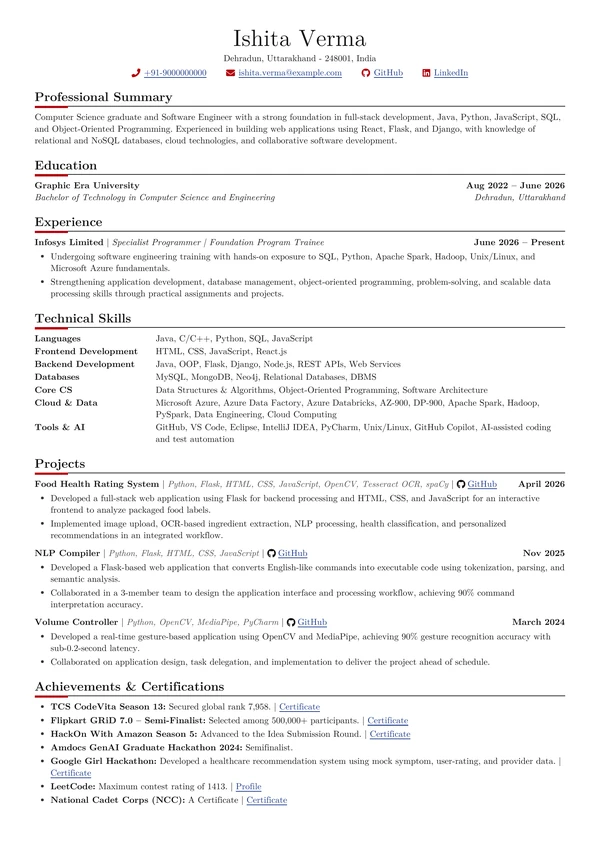
FAANG · One pagePro PDF
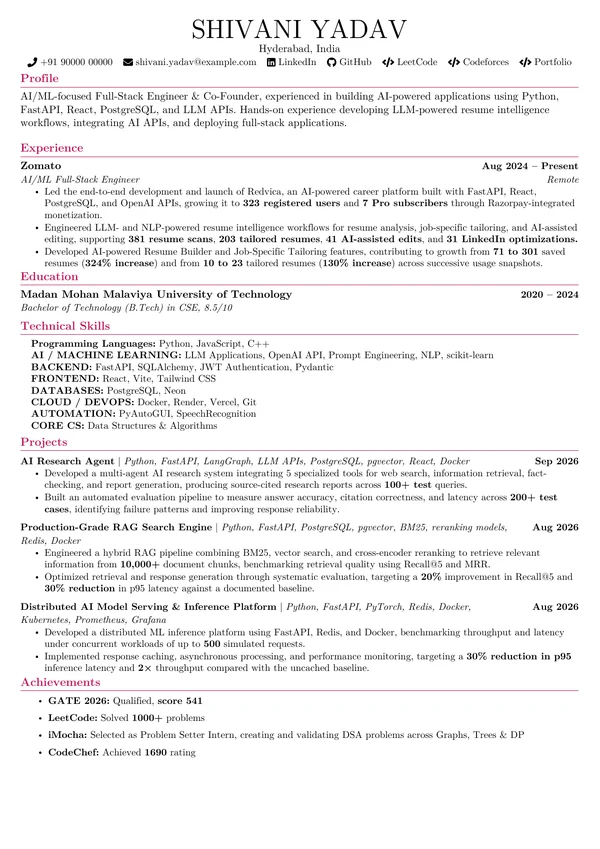
FAANG · Netflix resume template preview

FAANG · Netflix

A one-page LaTeX resume in Computer Modern: centred name and address, icon links, headings over a rule with a red accent bar, skills in a neat two-column table and projects with their stack and GitHub links. Built for top-tech applications. A4. Pro.

  • One page
  • A4
  • LaTeX style
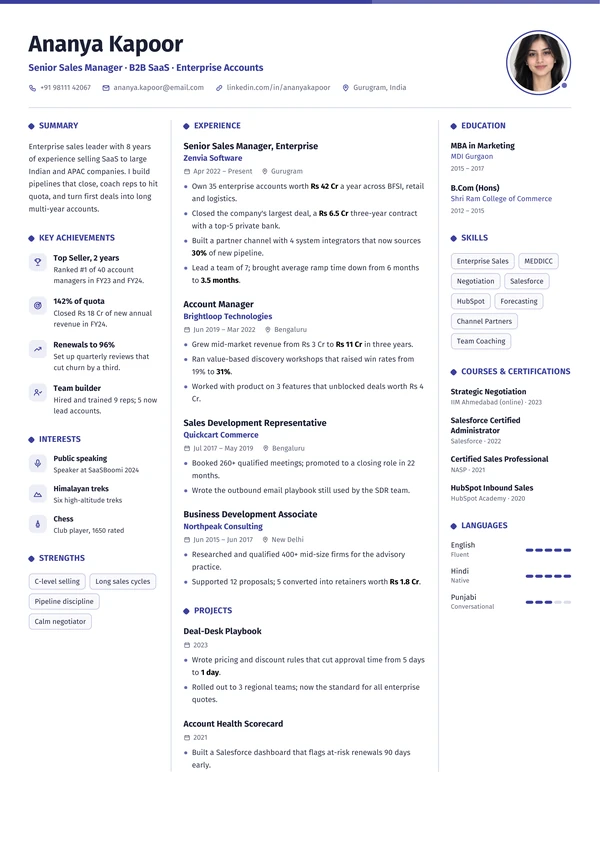
Three columns · Photo · ProPro PDF
Three-Column Prime resume template preview

Three-Column Prime

Your name, title, contact and photo across the top, then three columns: summary, key achievements and interests with icons; experience and projects; education, skill chips, certifications and languages. A lot on one page, still easy to scan. A4. Pro download.

  • Three columns
  • Photo
  • Icon tiles
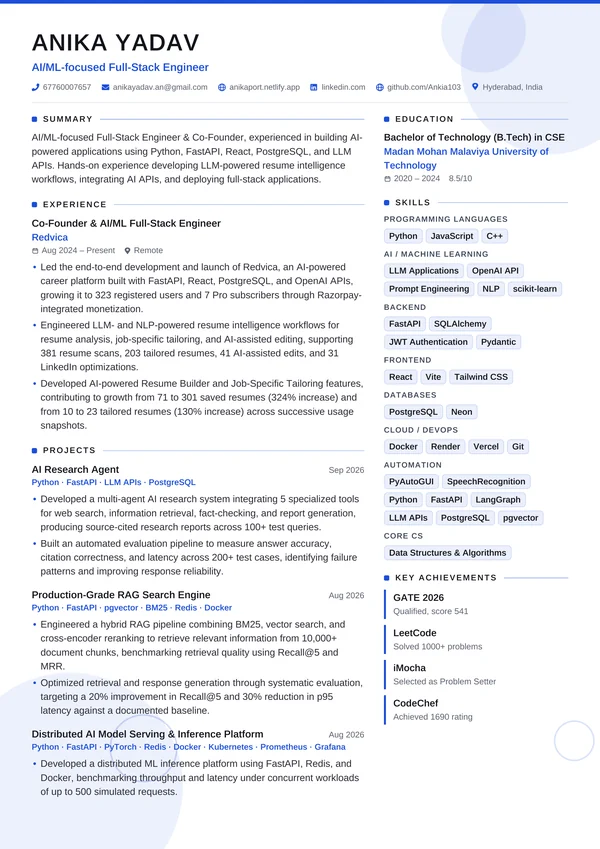
Two columns · NewPro PDF
Two-Column Impact resume template preview

Two-Column Impact

Your key achievements lead the narrow column as accent callouts, with grouped skill chips, education and language bars below; summary, experience and projects fill the wide column. A4. Pro download.

  • Two column
  • Achievements first
  • Skill chips
Two columns · NewPro PDF
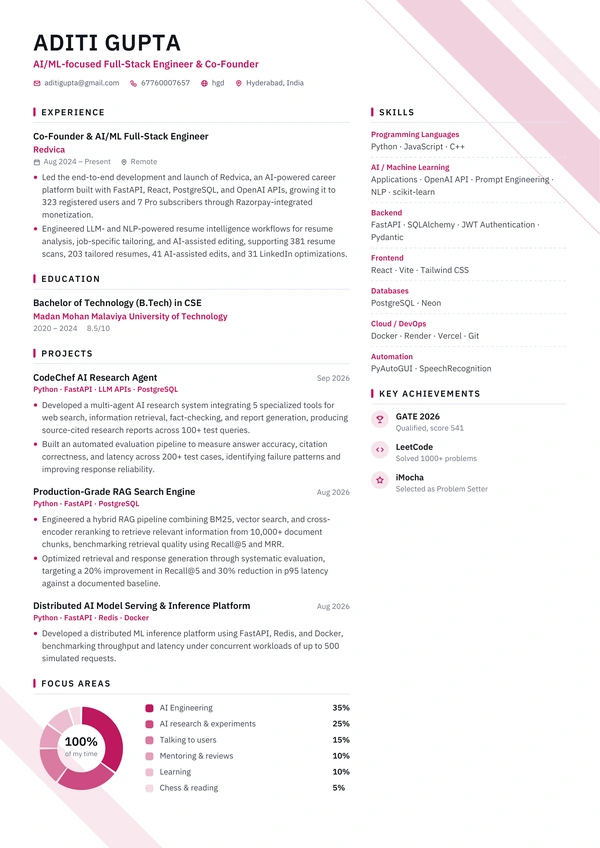
Two-Column Focus resume template preview

Two-Column Focus

A clean white page with a Focus Areas ring that shows where your time goes. Experience, education and projects fill the wide column; summary, key achievements with icons, skills by group, certifications and languages sit beside them. A4. Pro download.

  • Two column
  • Focus ring
  • Icon highlights
Two columns · Photo · NewPro PDF
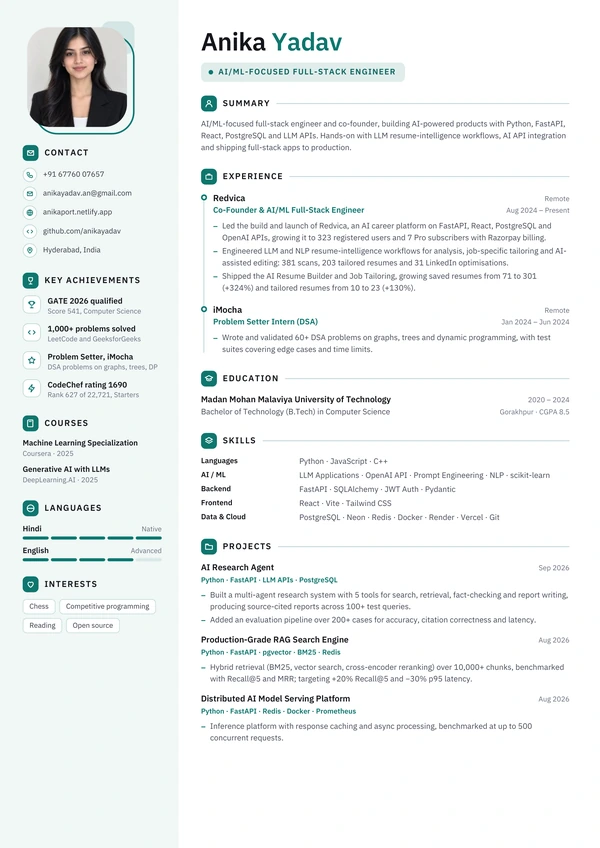
Two-Column Spotlight resume template preview

Two-Column Spotlight

A photo-led page with a tinted column for contact, key achievements, courses, languages and interests, beside your name, a title tag, and experience on a timeline. A4. Pro download.

  • Photo
  • Timeline
  • Icon highlights
Two columns · Header band · NewPro PDF
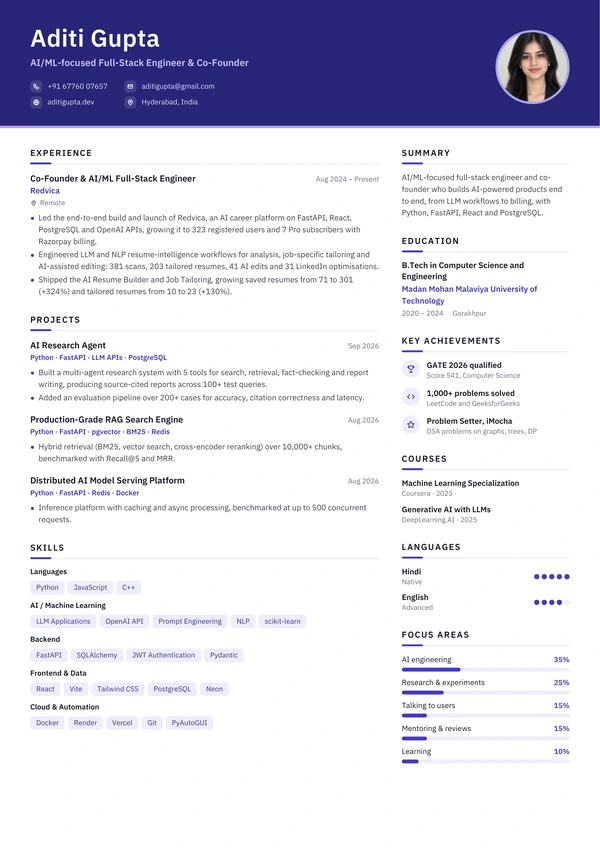
Two-Column Horizon resume template preview

Two-Column Horizon

A deep header band with your name, title, contact and photo, then experience, projects and skill chips beside your summary, achievements, courses and Focus Areas bars. A4. Pro download.

  • Header band
  • Skill chips
  • Focus bars
Clean & corporate
Professional resume template preview

Professional

ATS-safe

A centred header with your job title in colour, quiet letter-spaced headings with a hairline, Calibri-style text at 11 pt and aligned skills. Single column and built to what recruiters recommend: fits corporate, finance and government roles.

  • Single column
  • Navy accent
  • Compact
Boardroom serif, one columnLite + Pro
Executive resume template preview

Executive

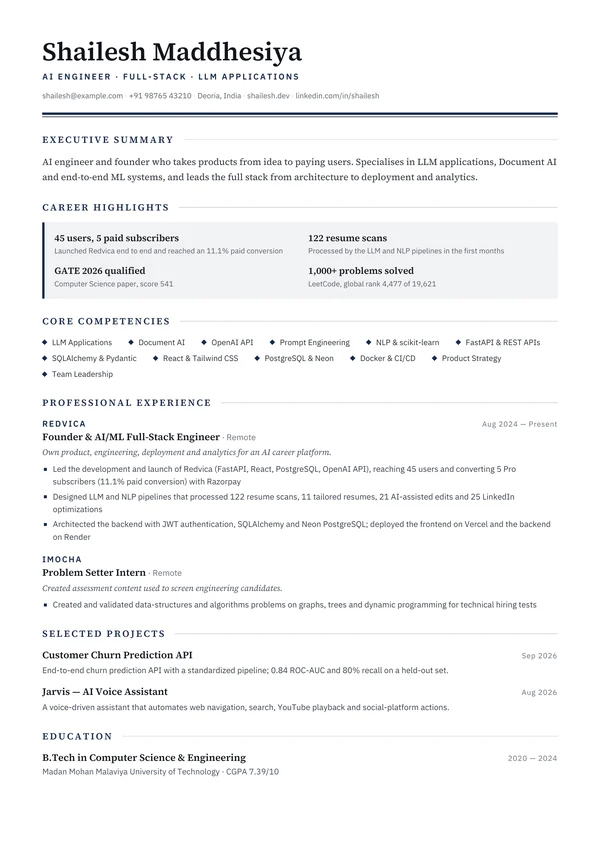
A serif name over a double rule, career highlights up front in a panel, core competencies in three columns, and each role led by its company with a one-line scope. One column, ATS-friendly.

  • Single column
  • Career highlights
  • Senior roles
Technical · Day Pass+Day Pass +
Developer resume template preview

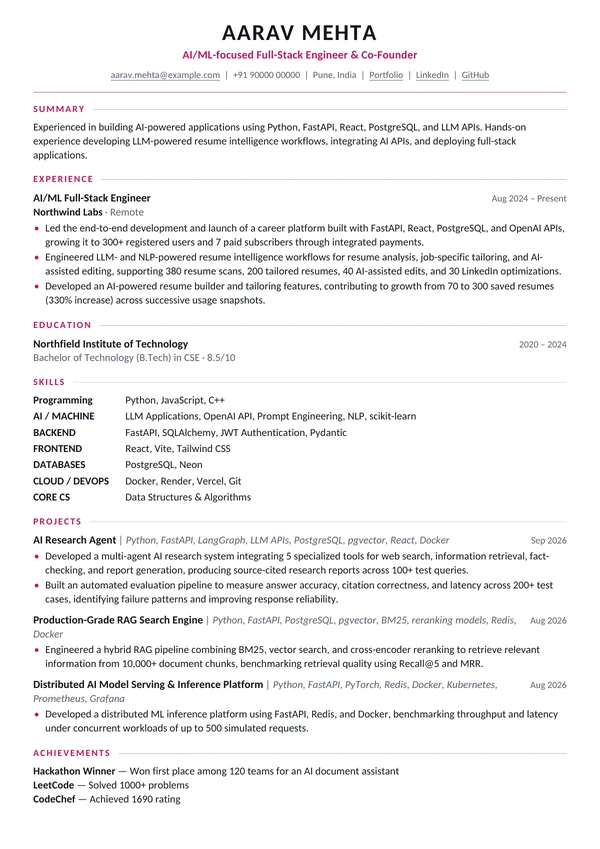
Developer

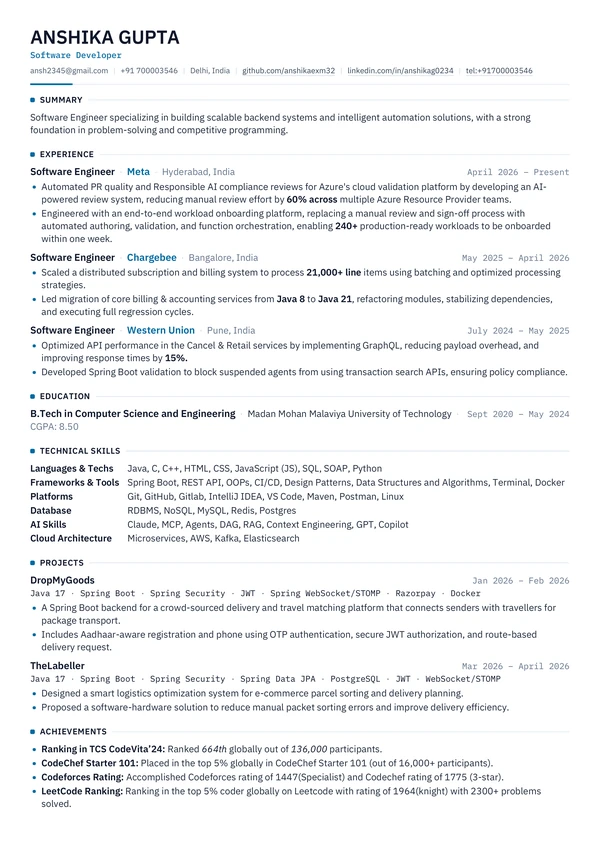
A skills table up front, one-line job and project headers, your stack and repo links in monospace. One column, real text, fully ATS-safe: built for engineers.

  • Skills table
  • ATS-safe
  • Tech roles
Clean whitespace
Minimal resume template preview

Minimal

ATS-safe

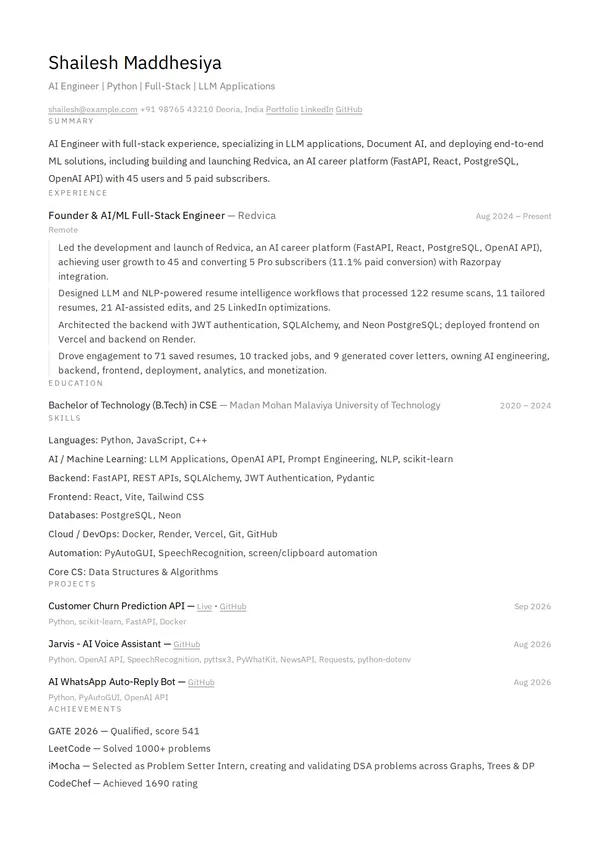
Maximum whitespace, minimum ornament. Works well when you want the content to carry the resume with zero visual distraction.

  • Single column
  • Whitespace
  • Any field
Glowing sidebar, with photoLite + Pro
Two-Column Modern resume template preview

Two-Column Modern

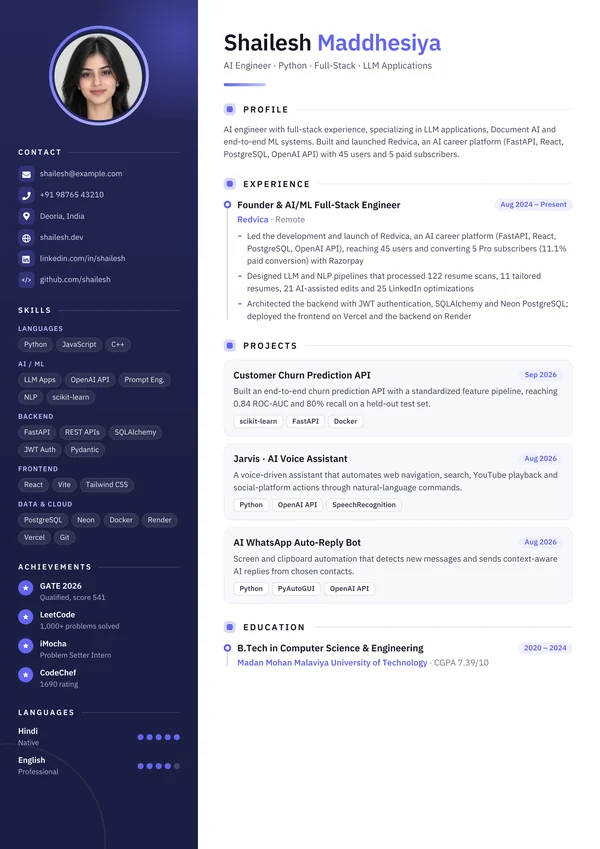
A dark sidebar that glows with your accent holds your photo, icon contact, skill chips, achievements and languages; the wide column puts experience on a timeline and projects on cards. Visual and modern.

  • Glowing sidebar
  • Photo
  • Timeline
Dark, glowing, with photoPro PDF
AI/Tech · Aurora resume template preview

AI/Tech · Aurora

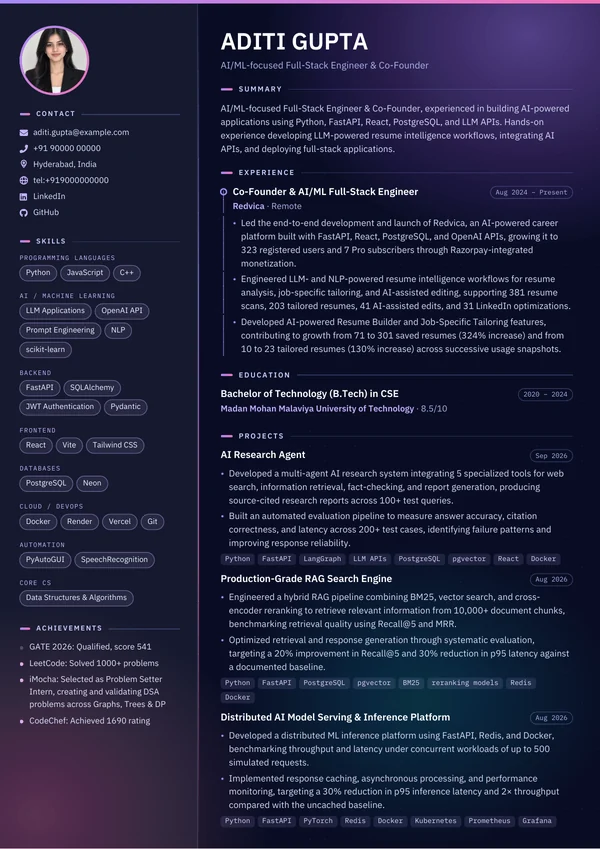
A dark page with soft light fading in from the corners, a frosted sidebar with your photo, grouped skill chips and a timeline down your experience.

  • Dark theme
  • Photo
  • Timeline
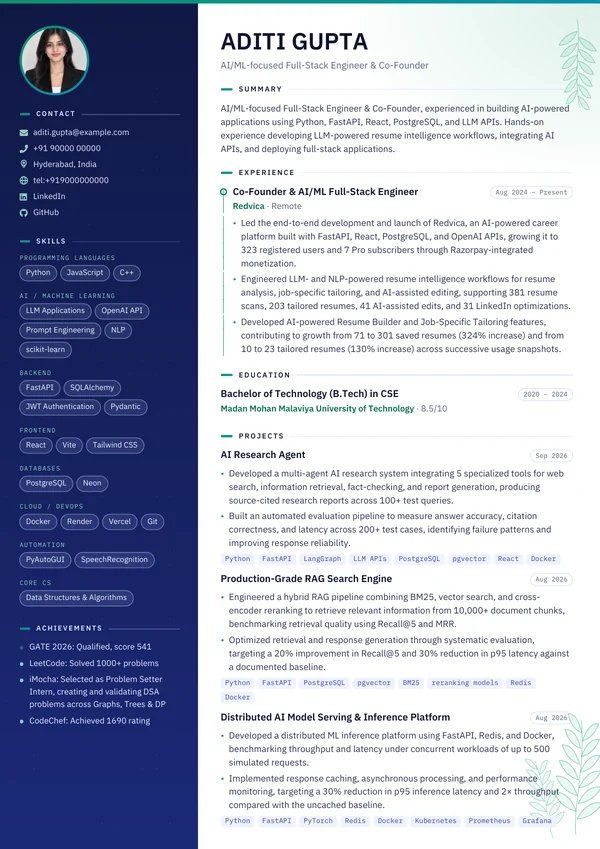
Light, deep-blue sidebar, with photoPro PDF
AI/Tech · Daylight resume template preview

AI/Tech · Daylight

A light page for easy reading and printing, with a deep-blue sidebar for your photo, contact and grouped skill chips, and a timeline down your experience.

  • Light theme
  • Photo
  • Timeline
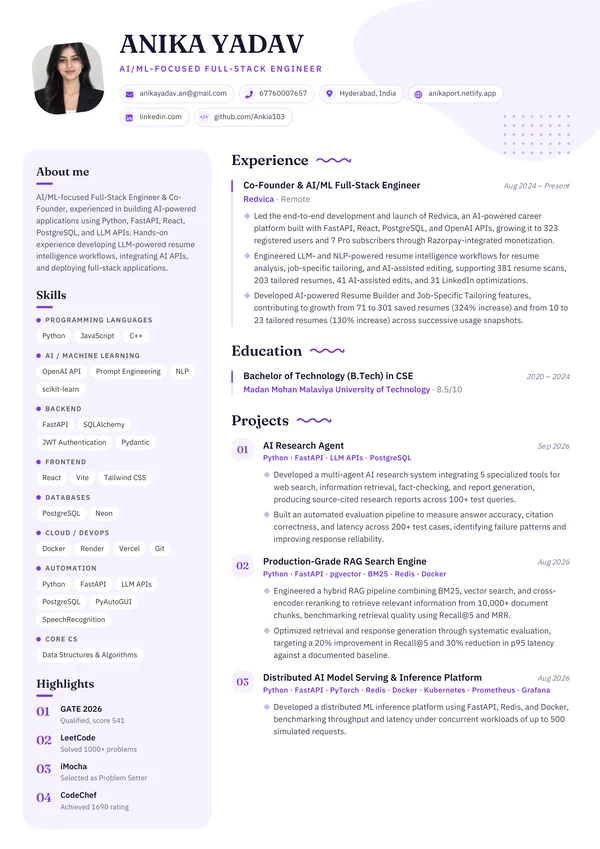
Playful, monogram or photoPro PDF
Two-Column Creative resume template preview

Two-Column Creative

A tilted monogram (or your photo), a soft blob and contact pills up top; a rounded panel with skills, numbered highlights and language rings beside serif headings with a wavy underline.

  • Monogram or photo
  • Language rings
  • Serif headings
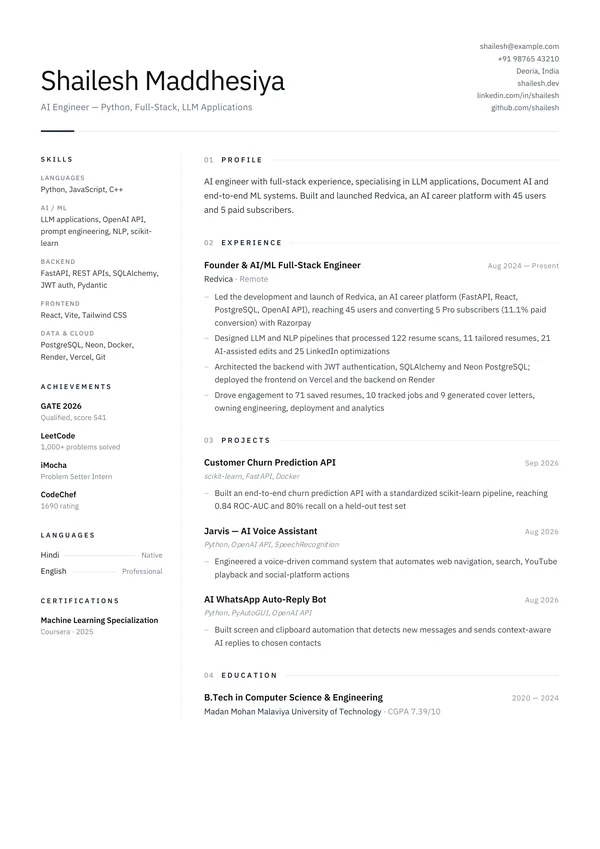
Editorial, plain textLite + Pro
Two-Column Minimal resume template preview

Two-Column Minimal

ATS-safe

A quiet, editorial page: lots of white space, one accent used sparingly, numbered section labels and a hairline between the columns. Every line is plain text, easy for parsers.

  • Editorial
  • Plain text
  • Numbered sections
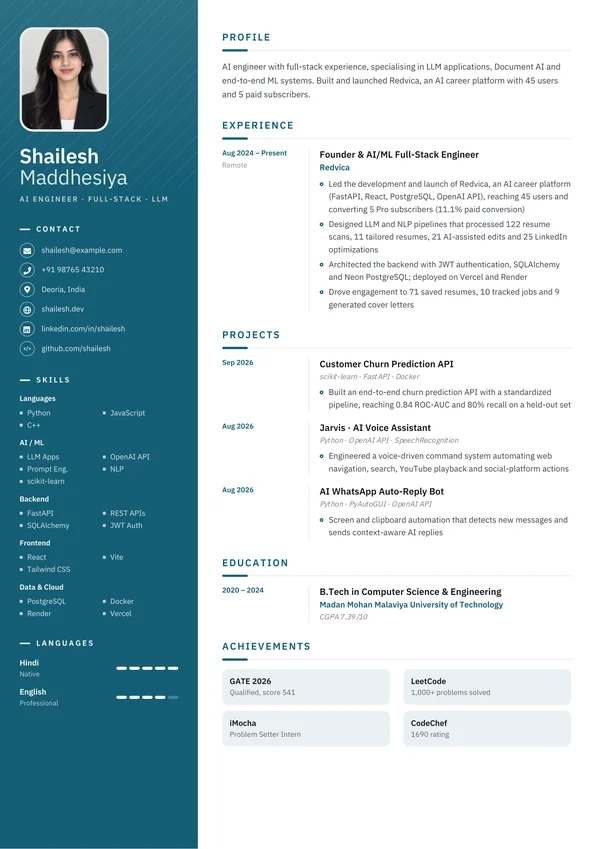
Colour sidebar, with photoPro PDF
Two-Column Sidebar resume template preview

Two-Column Sidebar

A bold sidebar filled with your colour carries your photo card, name, contact, skills and language bars; the main column puts every date in its own gutter and your achievements on soft tiles.

  • Colour sidebar
  • Photo card
  • Date gutter
How to choose

Choose the template that fits your story

Four quick questions to ask yourself before you pick a layout.

Match your career stage

Early in your career? Put education and skills where they are easy to see. Senior? Lead with achievements and scope.

Match your industry

Traditional layouts suit corporate, finance and law. Technical and modern ones fit tech and product. Creative layouts suit design and marketing.

Think about the ATS

Applying through a strict portal? Choose a single-column template with plain section headings.

Switch any time

Your content stays put. Change the template from inside the editor and everything reflows instantly.

How it works

From template to PDF in four steps

1

Choose a template

Pick a layout. Not sure? Use "Help me pick".

2

Add your content

Import your resume or start blank, then improve bullets with AI.

3

Customize the layout

Reorder sections and format text with a live preview.

4

Check and download

See your ATS score, then export a clean PDF.

Built for ATS

Built to clear the parser first

Applicant tracking systems read your resume as text, from top to bottom. These templates are made to stay readable that way.

  • Standard section headings: Summary, Experience, Education, Skills.
  • Real, selectable text, never images of text, in every template.
  • Single-column templates avoid tables and text boxes entirely, the usual trouble spots for parsers.
  • Two-column templates stay design-led; pick a single-column one for strict portals.
More than a template

A template is where it starts

Fill it, check it, tailor it and apply, all in one place.

Fill any template, live

Type on the left and watch your resume update on the right. Improve wording with AI, format text, reorder sections, undo and redo.

  • Live preview in every template
  • ✦ Improve with AI for stronger bullets
  • One-click PDF export
FAQ

Frequently asked

The single-column templates (Modern ATS, Professional, Executive, Developer, Minimal) use standard headings with no tables or text boxes, which avoids the problems parsers most often have. The two-column templates are more design-led and keep your text selectable; if an employer's portal is strict, choose a single-column one.

Yes. Your content stays put. Switch templates from inside the editor at any point and everything reflows into the new layout.

A clean PDF, built for printing and for ATS upload. Log in at download time so your resume also saves to your account.

Building and editing is free for everyone. Free accounts get 1 PDF download a day; the Day Pass (₹20 for 24 hours), Lite and Pro give unlimited PDF downloads.

Yes. Choose a template, then upload your current resume and we fill the template for you, or start from a blank page.

Press "Help me pick a template" at the top of the page. Three quick questions and we suggest the best match.

Ready to build yours?

Start with Modern ATS, or let us pick for you. Your resume, your story, one clean PDF away.